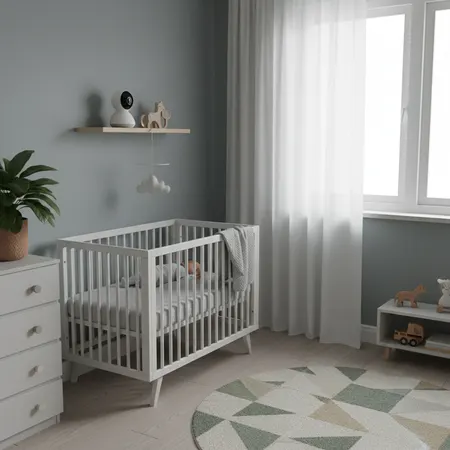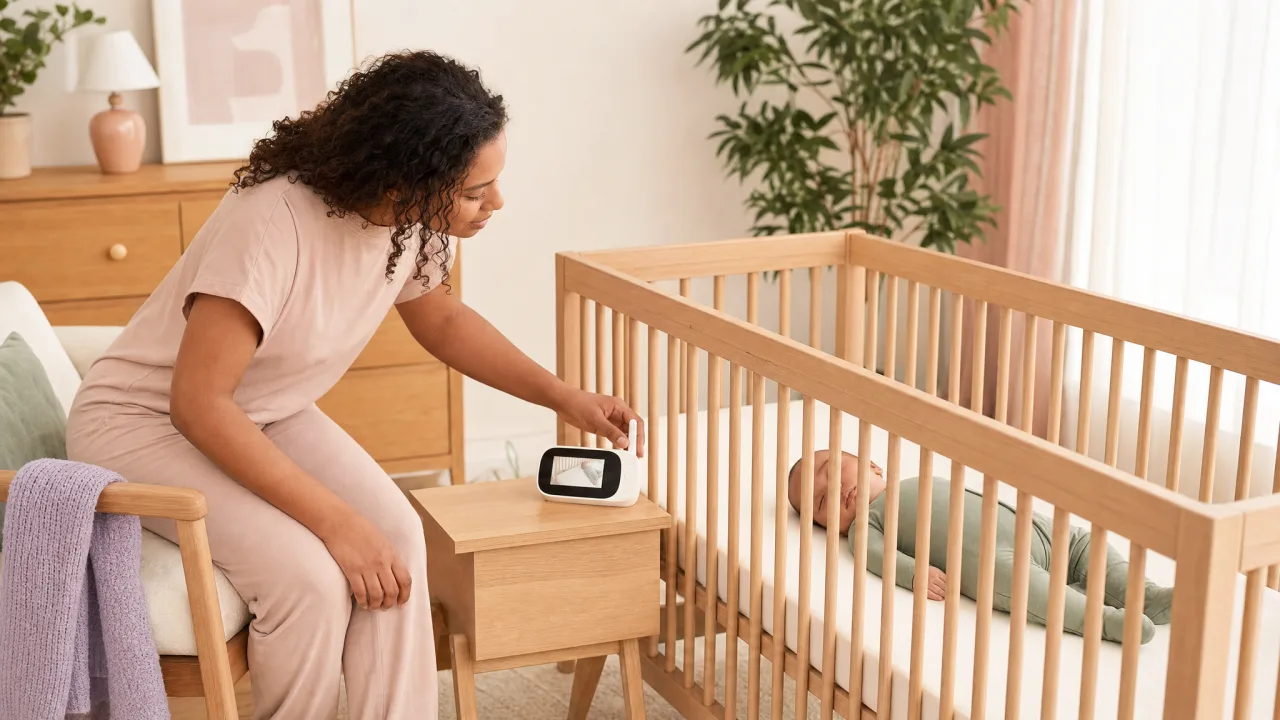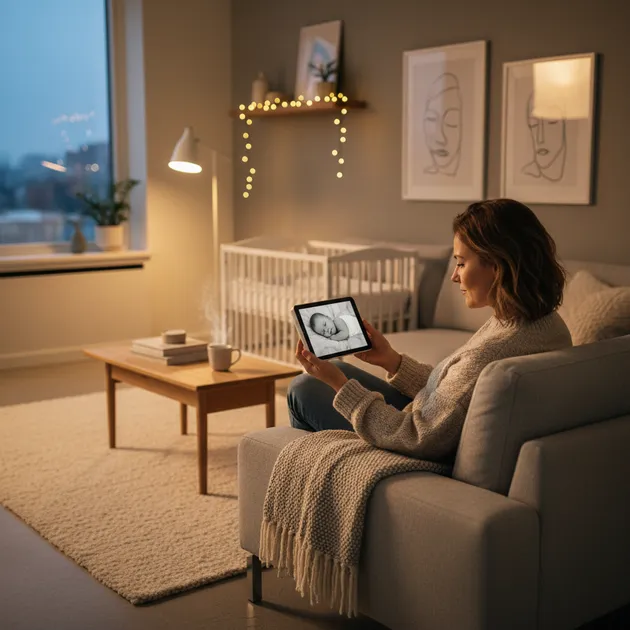
A baby monitor gives you the freedom to be in another room while your baby sleeps safely. You hear (or see) as soon as your baby stirs, and can react quickly without standing over the crib waiting.
Here's an overview of baby monitor types, features to look for, safety tips, and the most popular models on the market.
Key Takeaways
- Baby monitors come in three main types: audio-only ($30–60), video ($100–350), and movement sensor models, video is the most popular choice for new parents.
- WiFi-connected monitors offer remote viewing via smartphone, but dedicated screen models have no lag and no privacy concerns from cloud connectivity.
- The AAP recommends placing any monitor cord at least 3 feet from the crib to eliminate strangulation risk.
- Keep baby monitor volume at a moderate level, you need to hear when your baby wakes, but constant background sound can disrupt your own sleep quality.
- Night vision (infrared) is a standard feature on most video monitors, giving a clear image even in a completely dark room.
Types of Baby Monitors
Audio-Only Baby Monitor
The simplest option. A transmitter is placed near the baby and sends sound to a receiver you carry with you. Affordable, reliable, and simple to use. Perfect if you just need to hear when the baby wakes up.
Pros:
- Affordable price ($30-60)
- Long battery life
- Simple to use, no setup
- No privacy risk (closed signal)
Cons:
- No visual contact with the baby
- Can't see if the baby has kicked off their blanket
Video Baby Monitor
The most popular type. A camera unit near the crib sends video to a dedicated screen or mobile app. Night vision (infrared) provides an image in the dark.
Pros:
- You see the baby without entering the room
- Night vision gives a clear image in darkness
- Many have zoom and pan functions
- Provides peace of mind, especially for new parents
Cons:
- More expensive ($100-350)
- Dedicated screen requires charging
- WiFi models can have delay
Baby Monitor with Movement Sensor
A sensor pad is placed under the mattress and detects the baby's movements, including breathing movements. The alarm sounds if no movement is detected for a set period (usually 20 seconds).
Pros:
- Extra peace of mind for anxious parents
- Can detect if the baby stops moving
- Often combined with audio and/or video
Cons:
- Higher price
- Can give false alarms (baby rolls off the sensor)
- Not a medical device, doesn't replace supervision
Movement sensors are not medical devices. A baby monitor with a movement sensor can provide extra peace of mind, but it doesn't replace placing the baby safely on their back, on a firm surface, without pillows and loose bedding. Always follow safe sleep guidelines.
WiFi Baby Monitor (App-Based)
Connects to your home network and sends video and audio to an app on your phone. You can check on the baby from anywhere, even outside the home. Practical for babysitters, grandparents, or caregivers.
Pros:
- Access from anywhere via your phone
- Can be shared with partner, grandparents, or babysitter
- Often more features (timeline, temperature, alerts)
- No extra receiver to charge
Cons:
- Depends on stable WiFi
- Privacy risk if poorly secured
- Image delay (0.5-2 seconds)
- App can drain phone battery
Features to Look For
Not all features are equally useful. Here are the ones that matter most in practice:
Night Vision
Absolutely essential. All video baby monitors should have infrared night vision so you can see the baby in dark rooms. Check that the image quality is good enough to see details.
Range
For a typical apartment, 150-300 feet is fine. If you live in a house with a yard, you'll need at least 600-1,000 feet. DECT-based baby monitors (analog) often have better range than WiFi models.
Temperature Sensor
Many baby monitors have a built-in room thermometer. Recommended nursery temperature is 65-68°F (18-20°C). Some models alert you if the temperature goes outside a set range.
Two-Way Communication
You can talk to the baby through the monitor. Useful for soothing your baby with your voice without entering the room. Sound quality varies between models.
VOX Mode
The screen turns on automatically when the baby makes noise. Saves battery and prevents you from staring at the screen all evening. Sensitivity can usually be adjusted.
Tip: VOX mode is the most practical everyday feature. A good VOX function with adjustable sensitivity means the screen stays dark when the baby sleeps quietly but lights up at the first sound.
Popular Baby Monitor Models
Philips Avent SCD923
Dedicated screen with 5" HD display, night vision, and temperature sensor. FHSS technology (encrypted signal without WiFi). Reliable and simple, one of the best-selling baby monitors.
Price: Around $200-250.
Motorola VM85 Connect
Combines a dedicated screen with app access via WiFi. 5" screen with HD camera, pan, and zoom. Two-way communication and lullabies.
Price: Around $250-300.
Owlet Cam 2
A pure WiFi camera with app control. 1080p HD, night vision, and two-way audio. Compact design. Can be paired with Owlet Smart Sock for breathing monitoring (sold separately).
Price: Around $150-200 (camera only).
Angelcare AC327
Combines video, audio, and movement sensor under the mattress. 4.3" screen with night vision. Sensor mat detects movement and alerts after 20 seconds of stillness.
Price: Around $250-350.
VTech DM221 (Audio Only)
Simple DECT audio baby monitor with good range (up to 1,000 feet) and long battery life. Night light on the baby unit. A solid budget choice for those who don't need a camera.
Price: Around $30-50.
Safety and Privacy
WiFi Baby Monitors and Hacking
WiFi-connected baby monitors can theoretically be hacked if not properly secured. The risk is low, but the consequence could be strangers seeing into your baby's room.
How to secure a WiFi baby monitor:
- Change the default password on the camera immediately
- Use a strong WiFi password (at least 12 characters with letters, numbers, and symbols)
- Update firmware regularly, check the manufacturer's app for updates
- Use a separate network, some routers let you set up a guest network for smart devices
- Choose well-known brands with good security practices and regular updates
Choose known brands. Cheap WiFi cameras from unknown manufacturers may have poor security and send data to overseas servers. Choose brands like Philips, Motorola, or Owlet with documented privacy practices.
DECT vs. WiFi. Which Is Safer?
DECT-based baby monitors (without WiFi) send an encrypted signal directly between transmitter and receiver. They cannot be hacked via the internet and have no privacy risk. The downside is that you need a dedicated receiver and can't check on the baby from your phone.
Placement of Baby Monitor
Where you place the camera unit matters a lot for picture quality and safety:
- At least 3 feet from the baby, never in the crib or within the baby's reach
- Secure mounting point, wall, shelf, or clip mount. Nothing the baby can pull down
- Cords out of reach, the power cable should never hang within the baby's reach (strangulation hazard)
- Correct angle, the camera should show the entire crib, not just part of it
- Avoid direct sunlight, causes poor image quality during the day
When Do You Need a Baby Monitor?
Most families start with a baby monitor from birth and use it until the child is 2-3 years old. Some families use it longer, especially with a camera to check that the child is lying safely.
You need a baby monitor if:
- The nursery is in a different part of the house
- You want freedom to do things while the baby sleeps
- You sleep in a different room than the baby (after 6 months)
- You want to monitor the temperature in the nursery
You may not need a baby monitor if:
- The baby sleeps in the same room as you (the first 6 months)
- You live in a small apartment where you can hear everything
Frequently Asked Questions
What is the best baby monitor?
The Philips Avent SCD923 is one of the most recommended. Encrypted signal, HD screen, and good range without WiFi dependency.
Are WiFi baby monitors safe?
Yes, with basic measures: change the default password, use a strong WiFi password, and update firmware. DECT-based models have no hacking risk.
Do I need a baby monitor with a camera?
Not necessary, but it provides extra peace of mind with night vision. An audio-only baby monitor is a solid budget choice.
How far does a baby monitor reach?
DECT models reach 150-300 feet indoors, 600-1,000 feet outdoors. WiFi models depend on your WiFi signal strength.
Can a movement sensor prevent SIDS?
No, it's not a medical device. Always follow safe sleep guidelines, baby on their back, firm surface, no loose bedding.
How much does a baby monitor cost?
Audio monitors start at $30-70. Video monitors with screen run $100-350. Models with movement sensors cost $250-350.
Sources
- AAP. "Safe Sleep Recommendations." aap.org
- Consumer Reports. "Baby Monitor Buying Guide." consumerreports.org
- FTC. "Smart Home Security Tips." ftc.gov
Last updated: March 2026
🔧 Helpful Tools
- All Baby Tools. Browse all free tools for pregnancy and baby care
📖 Related Articles
- Changing Table: How to Choose the Right One for Your Baby. Complete guide to choosing a changing table. Types, safety, popular brands, and budget tips for new parents.
- Changing Tables: How to Choose the Right One for Your Baby. Complete guide to choosing a changing table. Types, safety requirements, popular brands, and budget tips for new parents.
- Best Baby Monitor Features to Look For. Find the best baby monitor with essential features like video, night vision, and temperature alerts. Expert guide for new parents.